LIGHTSPEED LA
Last
Sentinel
Gamifying Tokyo:
Building Layouts and Tools Big and Small
Compressing down the second largest city in the world into a open world game took a lot of collaboration, invention and iteration. It required big, complex tools like the Road Tool, which took months to develop, and small prototype tools, like a building placement tool made in a day to quickly fill in all the spaces.
It took an enormous amount of research to figure out what is very important and what we can do without. And most importantly, how to put it all together with flow, landmark visibility and fun.
- ROLE
- Senior Designer
- STUDIO
- Lightspeed LA
- FOCUS
- Road Tool · Open World · Team Leadership
Tokyo's identity
One playable space
With a small design team, we compressed the core landmarks and districts of Tokyo—including Tokyo Tower, Shibuya, Shinjuku, Akihabara, Tokyo Station, and much more—into a fully realized, playable space.
- Defined the outer boundary for what areas we want to use
- Get key structures in the game to check alignment between all the areas to define spacing
- Clear anticipated city size with Art, Mission, and other interested parties
- Find and place key in-between spaces (shrines, sub-landmarks, etc...)
- Start road pass and check for landmark visibility and flow
- Fill in and iterate

The districts and landmarks that informed the playable world.
Tokyo Roads:
A tool to make sense of it all
I led the multidisciplinary team in creating a road-placement tool capable of matching the wild complexity found throughout Tokyo's streets and highways. It could handle pathing (vehicles and pedestrians), sidewalks, medians, and all the other needs to make the city feel authentic and alive.
This reference image illustrates the overlapping highways, irregular junctions, tight urban constraints, and layered connections the road tool was designed to accommodate.
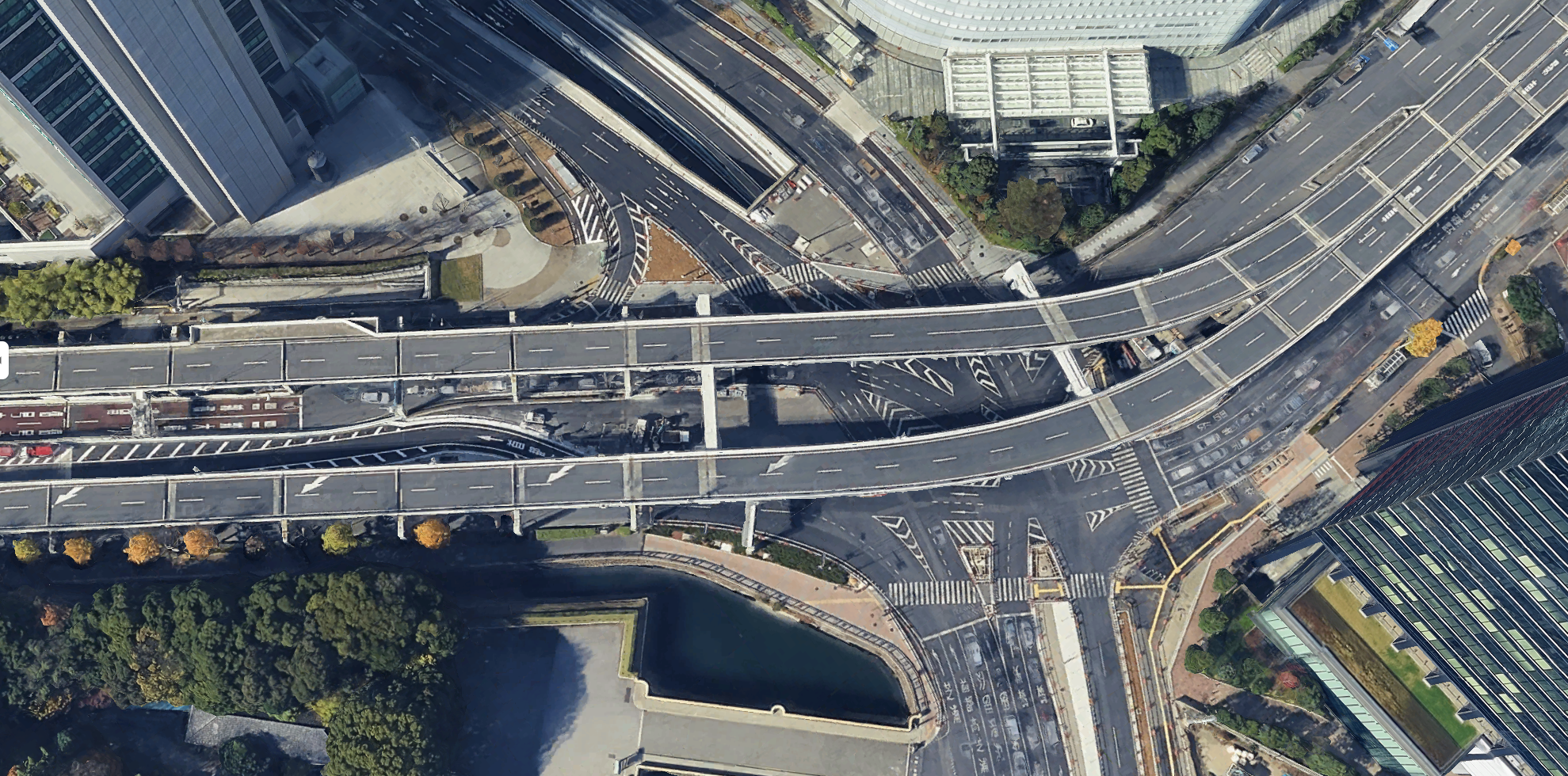
Tokyo's layered road and highway network.
Short Range Tools
I built numerous tools to solve short-range problems—placing wildlife, props, city blocks, and much more. I call them “Short Range Tools.” Usually built in under a week, each tool significantly accelerates a specific task. Some grew into larger systems that supported multiple disciplines.
Prop placement
Built for fast iteration
I built a PCG prop-placement tool using splines and volumes, allowing Design to quickly give mood, detail, and life to their areas. As I continued developing the tool, I shared it with the Art Department, where it became the project's core procedural-placement system.
Prop placement using splines and volumes.
Forest Generator
I built this performant forest generator with another Designer in seven working days while Art was still defining the final forest and underbrush pipeline. It gave Design rapid control over tree density, biomes, paths through the trees, and other essential layout elements, while preserving the control and visual character the team needed.
Forest density, paths, and placement controls in action.
This forest was placed and adjusted in under 10 minutes.
Water depth
Made readable
I built a Water Depth Visualizer to expose hazards that were nearly impossible to judge from the surface. Green marks shallow water, orange marks the deepest safe depth, and red marks water that knocks the rider off the bike. Designers can adjust each threshold, with defaults tuned to the bike's performance.
Color-coded water-depth thresholds for bike traversal.
Gizmo control
Exactly where you need it
I added a Gizmo Controller to the Blueprint library so anyone could add it to their own Blueprint. It lets users recenter the gizmo, move it to the start or end of a spline, or place it on a specific spline node—making setup and iteration faster.
Reusable gizmo positioning for Blueprint splines.